Spider-Man Quiz (App Lab)
Making a quiz with App Lab
Brainstorming Process
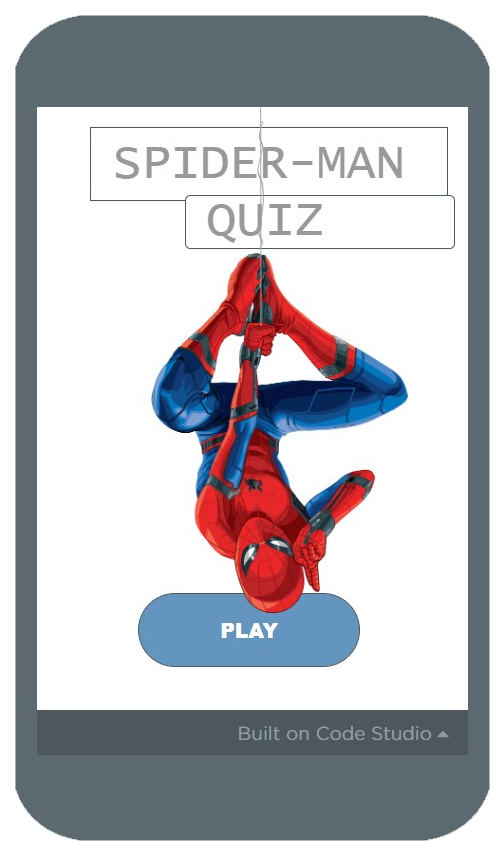
For my quiz, I wanted to choose a topic that I liked and was familiar with. At first, I wanted to do a quiz about music, but I thought that the questions may be too exclusive, as music is more self-expressive concept, so the quiz may not be enjoyable for everyone. I started thinking about what topics may have set material that could make for interesting questions. This led me to think more about trivia-based questions. As a character with an ingrained backstory and history, Spider-Man would make great trivia questions. Yes, Spider-Man-themed questions may be just as exclusive as music-themed questions, but the answers are set in stone, and not up to interpretation.
So, I went with a Spider-Man themed quiz.
Planning Process
First, I planned out how my quiz was going to run. How many questions it would have, how many answers for each question, how it would signify a correct or wrong answer. I also really wanted to include a point system. I decided to keep it simple with 3 questions and 4 answers just like the example quiz. I wanted to either have a pop-up or a different screen as a way to know if you got the questions right.
Then, I brainstormed potential questions I could include. I searched up Spider-Man trivia on Google as for inspiration as well. The questions needed to be simple and multiple choice based, with answers not too obvious, but not super tricky either. With Spider-Man having so many different adaptions, it was difficult to think of questions that wouldn’t contradict information of each the version. The very original comic version is very universal, so I based my questions off that.
Once I got all my questions, I envisioned the design of my quiz. How could I make it the most practical and user-friendly? I wanted a simple design with fun colors, but not distracting and flashy. I wanted images that contributed to the Spider-Man theme. For the correct and wrong screens, I took inspiration from the quiz site Kahoot, because it’s straightforward yet effective. To incorporate the point system, I wanted a scoreboard at the end of my quiz.
With all of these elements planned out, I was ready to start building my quiz.
Building Process
To start off and learn how to make the quiz work, I followed the code of the example. I created different screens for each question, as well as the start and end page. Then, I used buttons and OnEvent -> function to make the quiz run as it’s supposed to. The questions are displayed and the top, the answer boxes are the buttons. By clicking the start button you’re led to the first question, by clicking the correct answer button you’re led to the “correct screen”, if you click the wrong answer button you’re led to the “wrong screen”, then the next question, and so on and so forth.
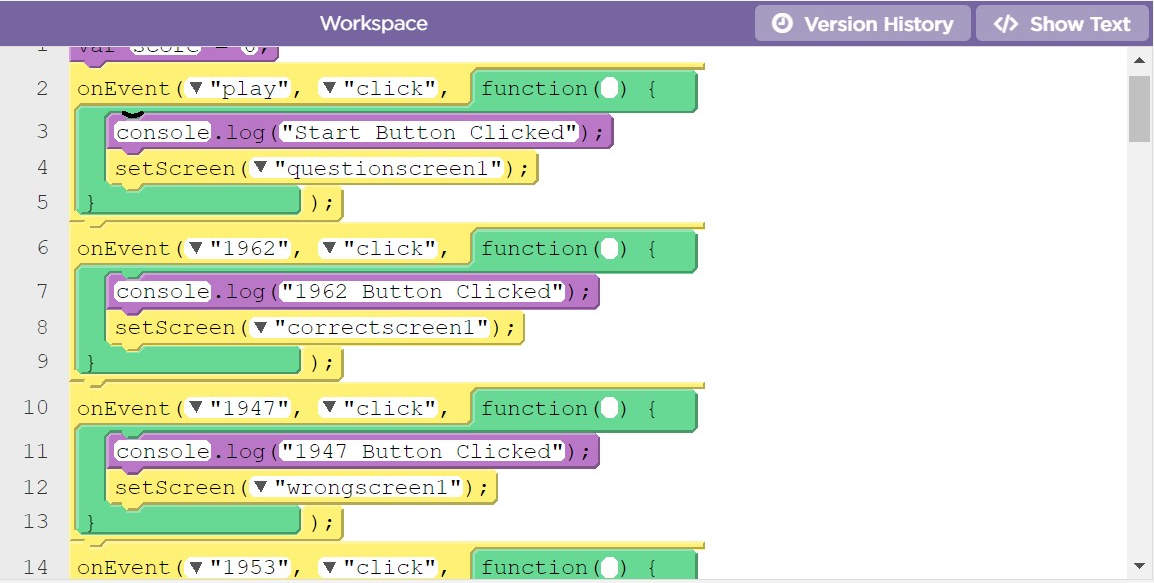
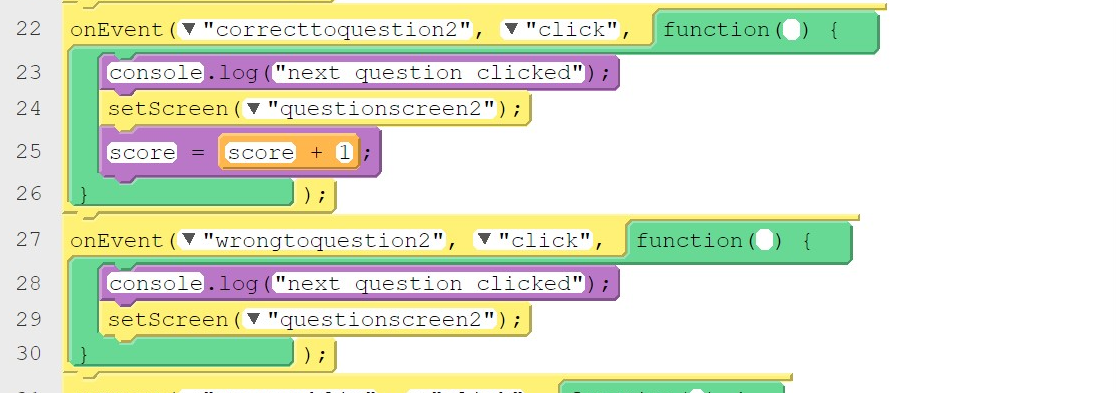
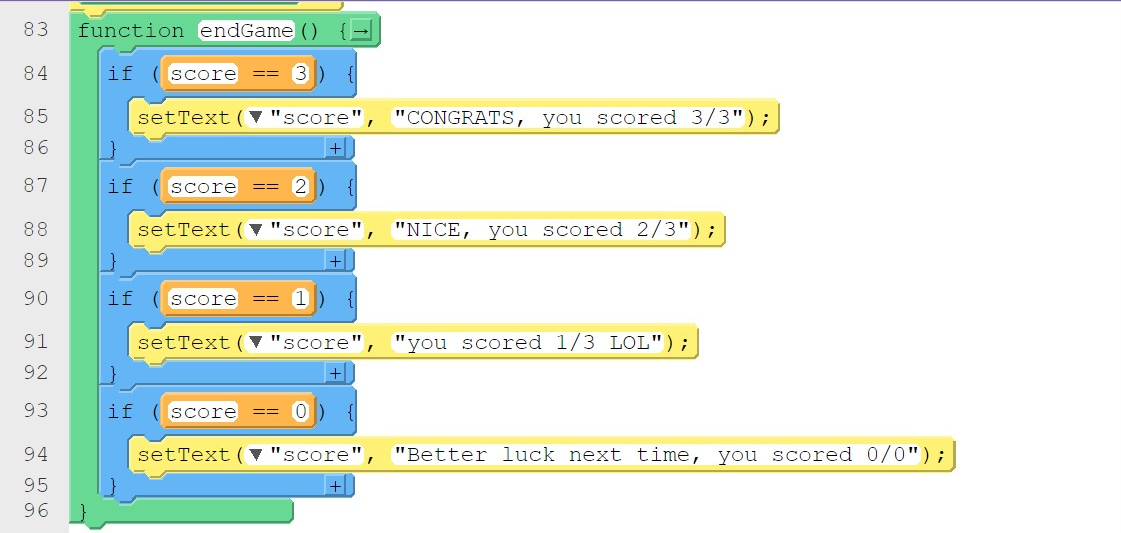
To add a scoreboard at the end, I created a variable called “score” and set it to zero. To make the system add up points, for every time the user is navigated to the “correct page”, a point is added onto the score variable. If the user is navigated to the “wrong page”, then no points are added. On the end page, there is a display of text saying what you scored, using the data the score variable has collected.
Result
My quiz includes a start screen, 3 questions screens, a screen to signify a correct answer as well as a separate screen to signify a wrong answer, and an end page. Specific buttons lead to the desired screens, for example, clicking the correct answer will send you to the correct page, which will have a button guiding you to the next question. For every correct answer, a point is tallied, and the total score is displayed on the end screen.